
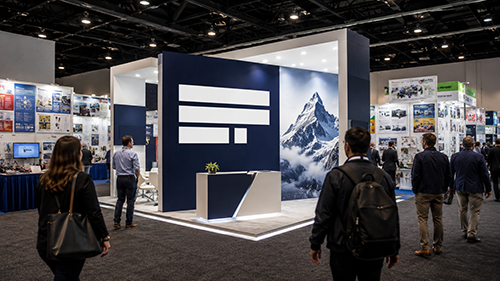

Trade show visitors make quick decisions about where to stop, which is why attention-grabbing visuals are so important to create a competitive booth. Effective trade show graphics combine clear messaging with disciplined design.
Every visual element should support one business goal and guide attention toward the most important information. If your business is preparing to attend a trade show, here’s how to design attention-grabbing graphics for your booth.
Start With One Clear Message
A booth graphic should communicate one main idea within a few seconds. Long explanations create friction and reduce the chance of engagement.
Use a short, memorable headline that reflects a clear business benefit. Supporting text should add context without repeating the headline.
Make Text Easy to Read
Large typeface helps visitors understand a message from across the aisle. Simple fonts also improve clarity under bright venue lighting.
Keep text blocks brief and leave enough space around each element. Crowded layouts make even strong messages difficult to process.
Use Contrast With Purpose
High contrast improves visibility and supports faster reading. Dark text on a light background often works best in busy exhibit halls. A limited color palette also creates a more professional appearance.
Choose Images That Support the Message
Relevant images can explain a product or service faster than text. Generic stock photos often weaken credibility and waste valuable space.
Select images with strong composition and high resolution. Product photos should show useful details without adding visual clutter.
Design for the Full Display
Graphics should match the size and shape of the booth structure. This principle matters when designing portable displays for trade shows because each panel must work as part of one visual system.
A design should also account for seams and hardware. Key text should never cross folds or sit behind display components.
Check These Details Before Production
A final review should confirm that every element supports quick understanding.
- Confirm the headline remains readable from a distance.
- Check image resolution at full print size.
- Review color contrast under bright lighting.
- Remove text that does not support the main message.
Test the Design Before the Event
A full-size proof can reveal problems that remain hidden on a computer screen. Viewing the design from several distances can also show whether the hierarchy works.
Strong trade show graphics do not need complex layouts. To design trade show graphics that grab attention, use clear language and focused visuals. Start applying these elements to your next trade show mock-up today to see the difference.